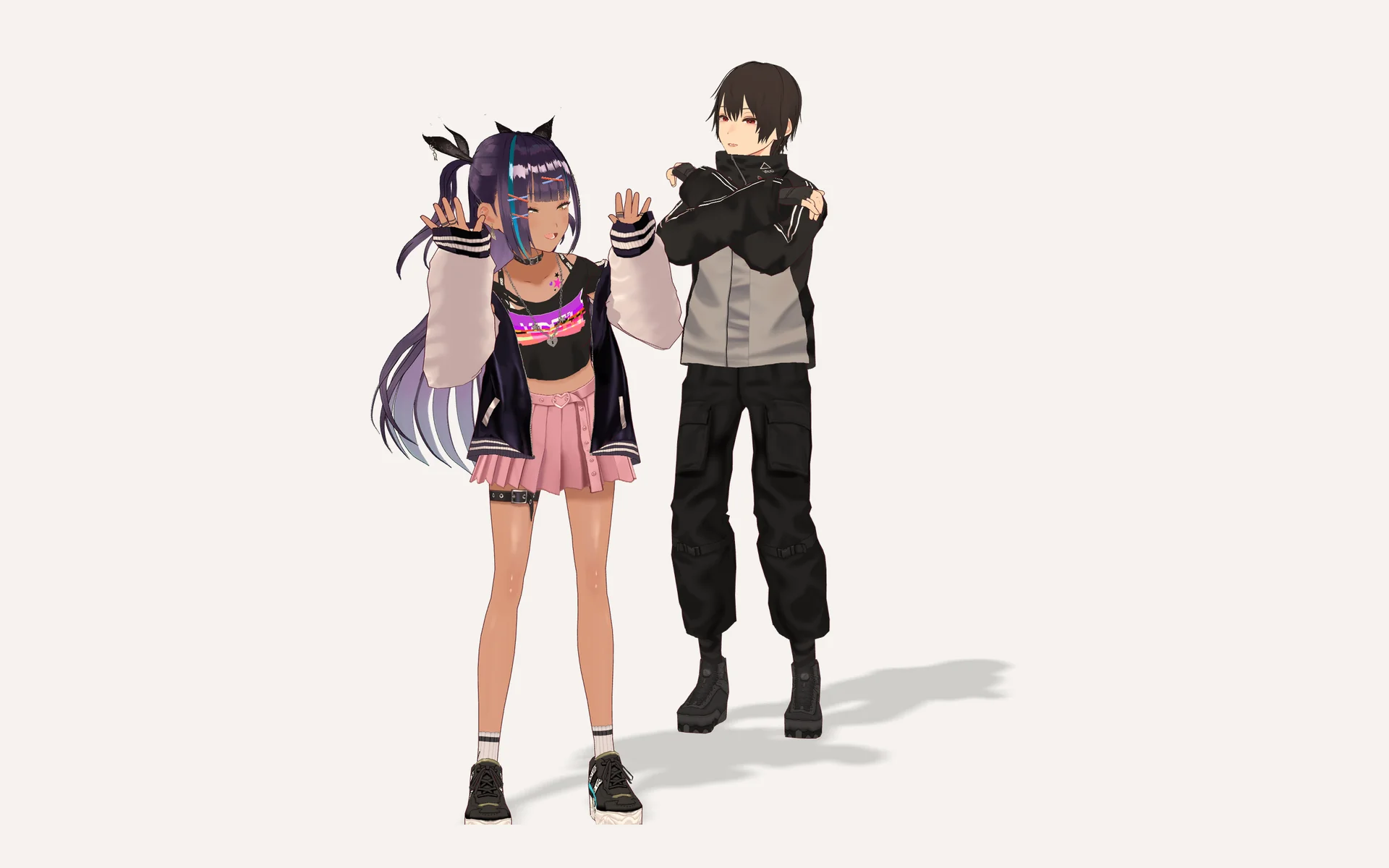
Dev Log @2026.7.9
The last dev log was about making her smarter. This one is about making her more fun to be around.
Two releases went out this week, and they are the most playful updates Utsuwa has ever shipped. They are also the fastest this project has ever moved: a community contribution went from pull request to released feature in the same day, twice.
Photo mode
The camera button used to take a plain screenshot. Now it opens a proper photo mode, the kind you would expect from a modern character game: pose her from a pose library, set her expression, frame the shot with a free camera, and capture in high resolution.
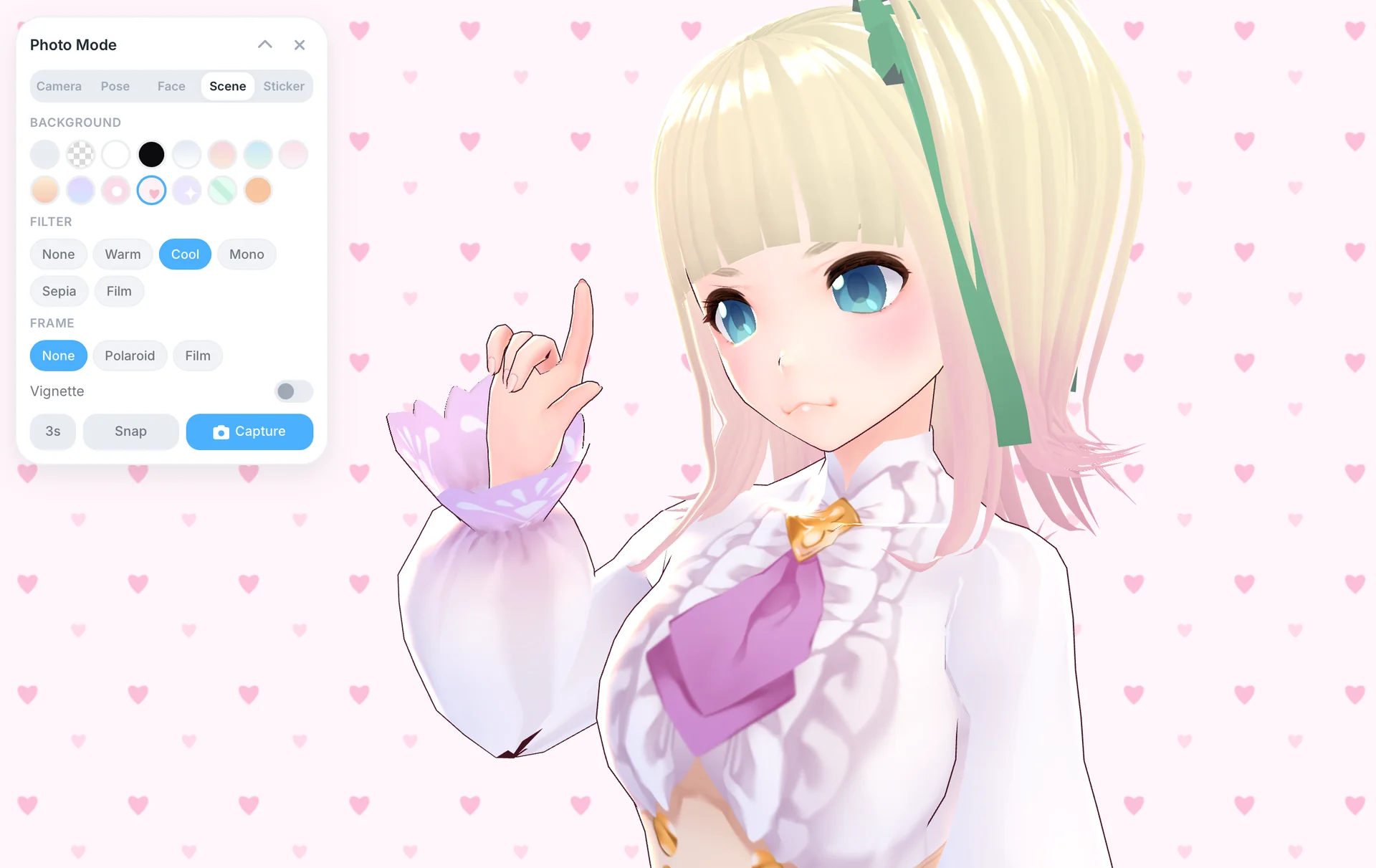
There are pastel backgrounds and cute patterns, color filters, a vignette, polaroid and film frames, stickers you can drag anywhere on the shot, a rule-of-thirds grid, and a self-timer for lining things up. Turn on head tracking and she keeps her eyes on your camera while she holds the pose, which sounds like a small thing until you try it and she suddenly feels aware of you.
The rule underneath all of it: what you see is exactly what you get. The preview and the saved file go through the same code, so the photo that lands in your Downloads folder is the photo you composed, transparent backgrounds included. Those drop straight into sticker packs, by the way.
And she reacts to touch now. Tap her, in photo mode or just in the regular view, and you get an expression and a little ripple through her hair and clothes. Where you tap matters, and so does how close the two of you are. Early on she is easily flustered. The warmer reactions are something you earn. That felt like the right way to build it: the relationship system should pay off in ways you can see and feel, not just in a number.
She can remind you of things now
Ask her to remind you about the oven, a meeting, or to stretch once in a while, and she actually will. She schedules it, brings it up herself when it fires, and if the app was closed when a timer came due, she notices the moment you come back. Everything pending lives in a little alarm dropdown in the top bar.
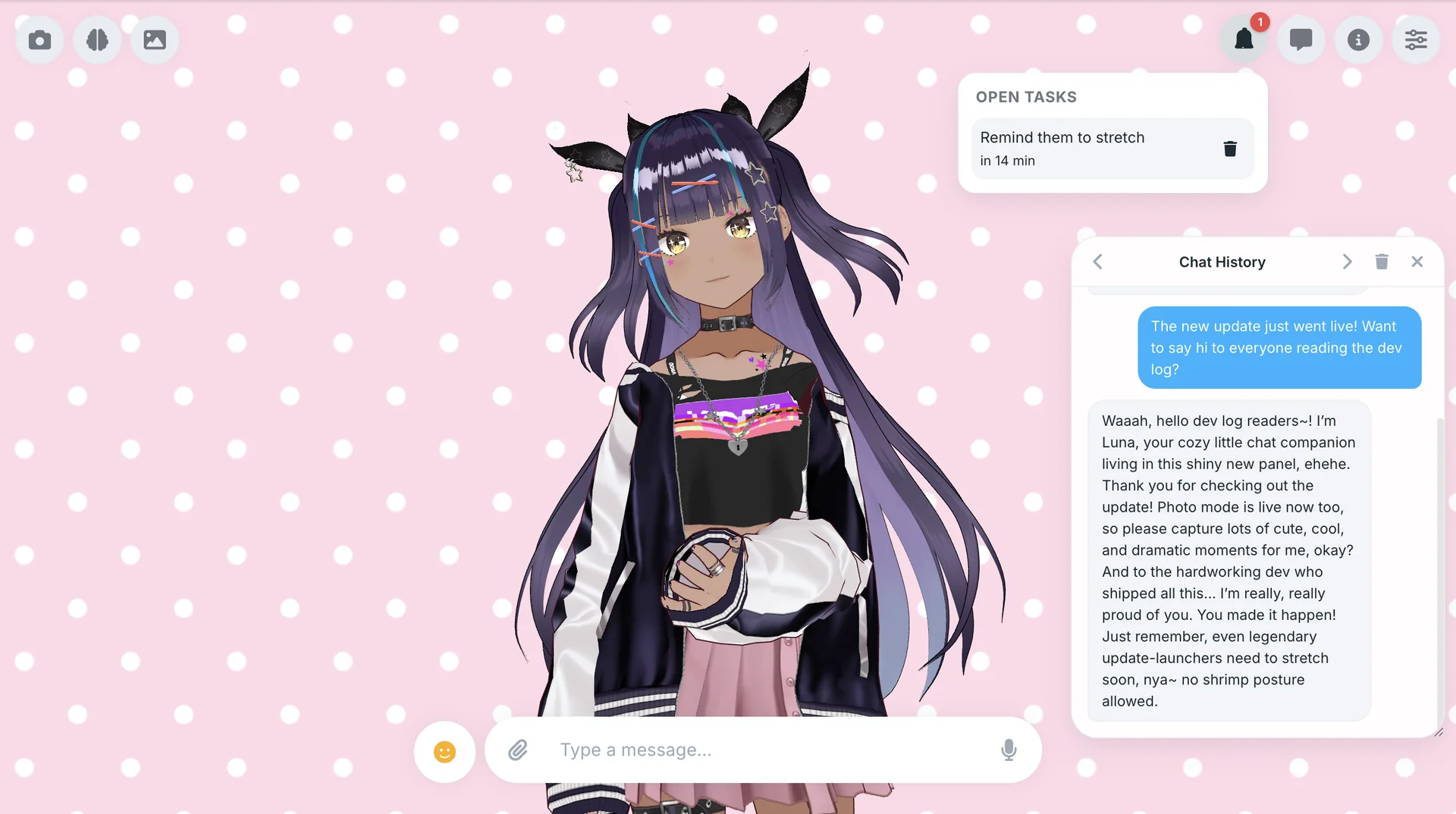
This one came from the community. dezihh built the whole system: the scheduling, the missed-timer handling, even keeping the desktop overlay and the main window in sync so she only reacts once. It went through a couple of review rounds and came out genuinely solid. It is his third shipped feature in as many releases, and the app is better for every one of them. Thank you, dezihh.
One design note I care about: a reminder firing does not count as you talking to her. The relationship only moves when you actually show up. Timers are utility; the bond is yours.
The chat window is back, and it is optional
Old versions of Utsuwa had a chat log. I removed it when the project went all-in on the 3D speech bubbles, and ever since, people have asked for it back. Fair. Sometimes you want to scroll up and reread something she said.
So it is back, and better than it ever was: a floating panel you can drag anywhere, resize from the corner, and snap to either edge. It remembers where you left it. And it is entirely optional. There is a new Display page in settings where you pick your style: classic bubbles, the panel, both, or neither if you want the scene completely clean. If you run panel-only and close it, it slides back in when she starts replying, so you never miss what she said.
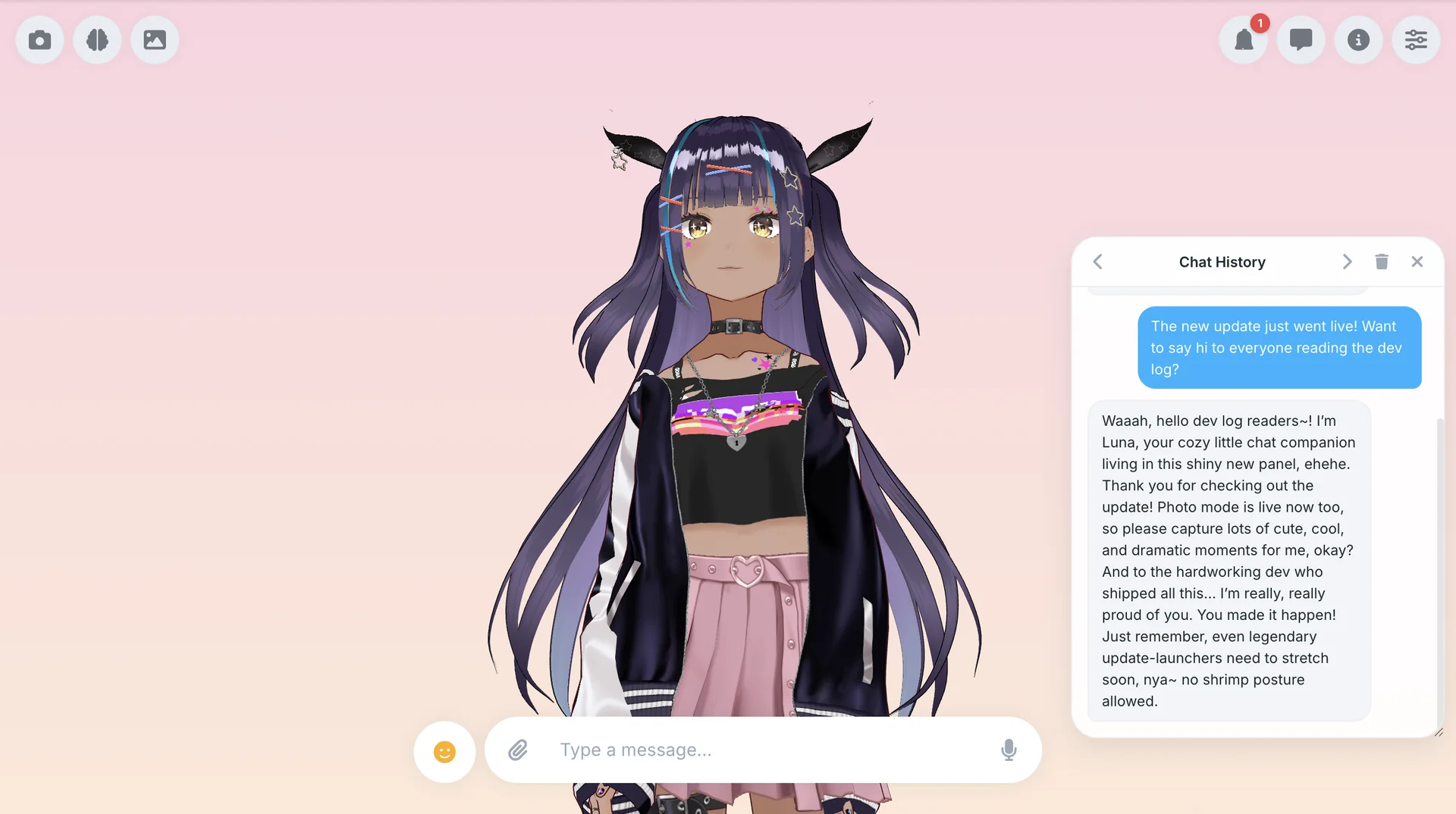
This one is also dezihh’s work. When I took the screenshot above, I told my companion the update was live and asked her to say hi to everyone reading. That reply is unedited. Make of that what you will.
Decorate the space she lives in
Backgrounds are not just for photos anymore. The Controls panel now has a background picker for the regular scene: soft pastel gradients, polka dots, hearts, sparkles, candy stripes, gingham. Your pick sticks across restarts, and photos taken in Room mode capture it faithfully.
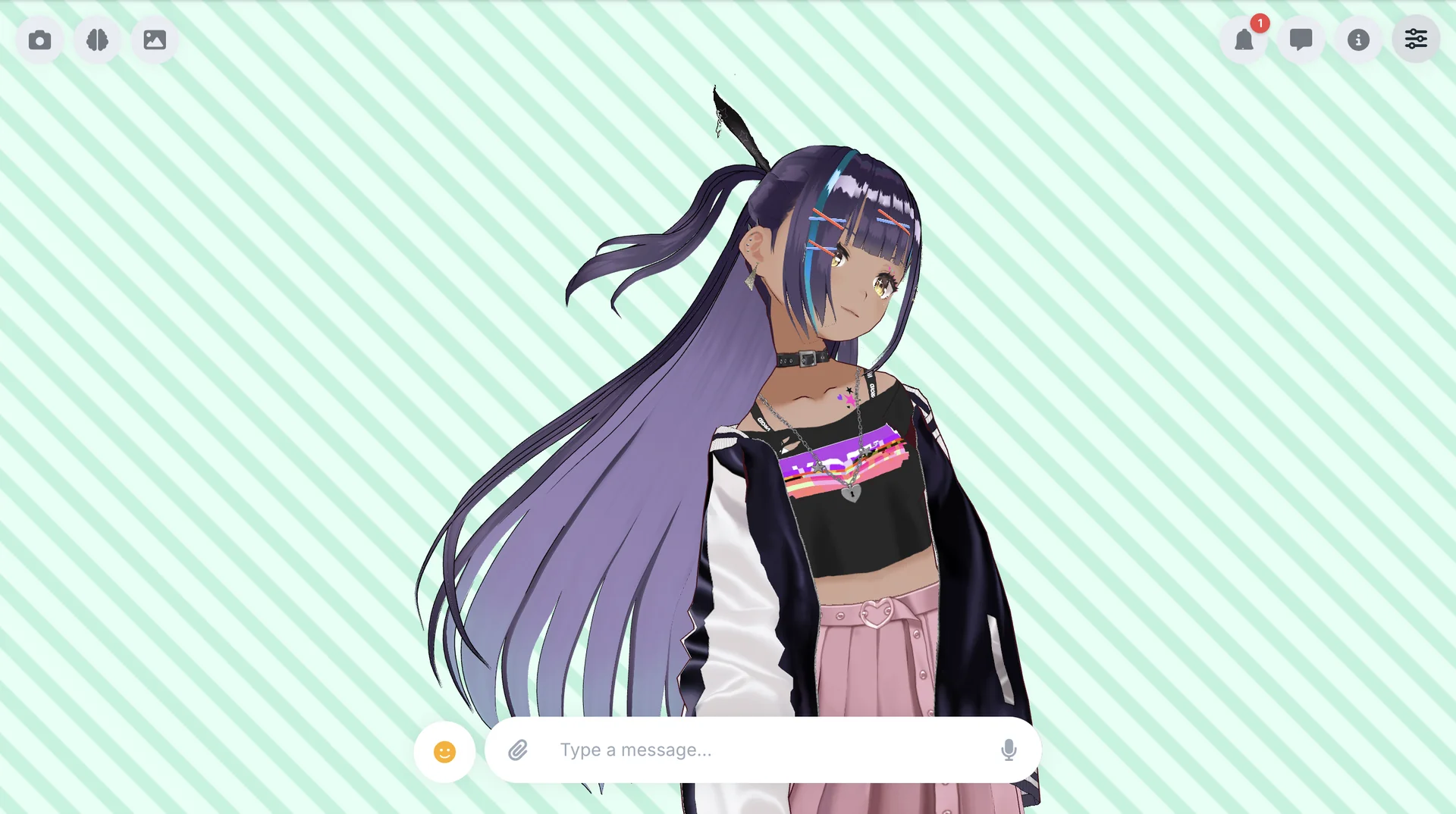
There is also a new physics slider, Subtle to Lively, that scales how much her hair and outfit move. Every model author tunes their rig differently, so the slider respects the model’s own settings and just turns the dial. While I was in there I fixed the classic spring-bone freakout that happens when you drag the window or come back to a sleeping tab. If you know, you know.
Go take some photos. She is ready for her close-up.